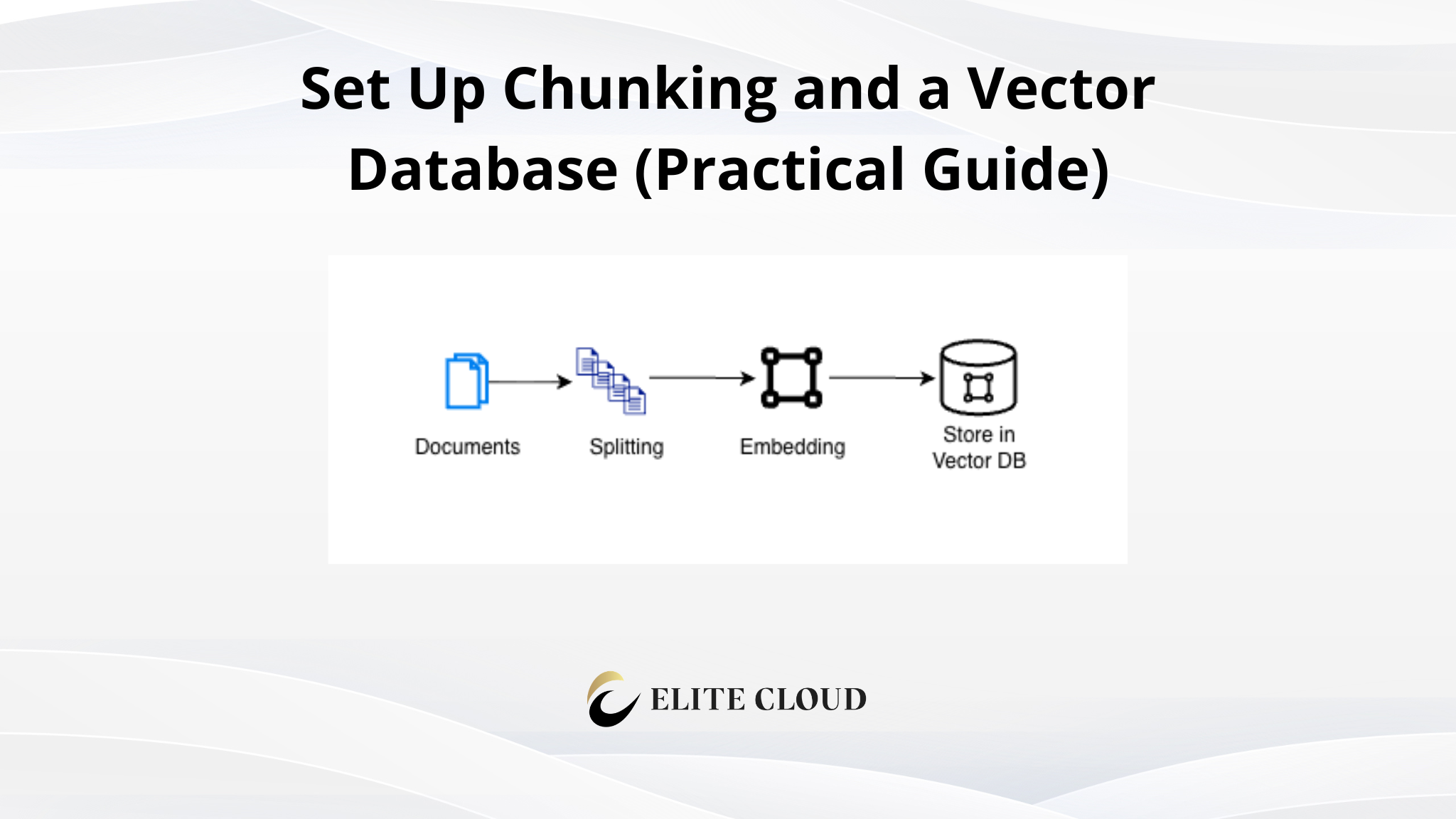
In Part 1, we built a working RAG pipeline with three short documents and got the right answer from RAG Bot. But real documents are way larger. A typical policy manual covers refunds, shipping, support, warranty, returns, and cancellations, plus more, in one file: that’s six topics in a single document-level embedding.
Including the whole manual as one string and embedding it like Part 1’s three documents will cause problems as follows.
1. Reading limit: an embedding model reads only a fixed amount of text. A 40-page manual is silently truncated, so its final sections can never be retrieved.
2. Meaning dilution: one embedding for the whole manual averages all six topics. A refund question competes with five unrelated sections, and the search can return nothing finer than the whole manual.
The fix is chunking: splitting a document into smaller, self-contained pieces before embedding, so the search can return one section instead of the whole book.
What Changed Since Part 1
Part 1’s bot could answer three questions, because its “documents” were three hardcoded strings: a refund rule, a shipping rule, and a support rule. If we ask it about warranties, returns, or cancellations, it won’t be able to answer because it’s not included in the documents.
In Part 2, we replace those strings with a real document (a multi-page policy manual) and change the stored unit from one document to many chunks. Here is the coverage upgrade:
- Part 1, if we ask “What is the warranty period for laptops?” It cannot answer, because warranty was never one of its strings.
- Part 2, it returns “Laptops carry a 2-year manufacturer warranty,” because that sentence is now included in the manual.
The example shows the new coverage (adding new info), not why chunking matters. Without chunking everytime user asks a question the LLM will look into the entire document. This will incur extra time and cost, causing inefficiencies.
Before we write any Python, let’s settle one idea in plain English: what a vector database actually is.
What Is a Vector Database, Really?
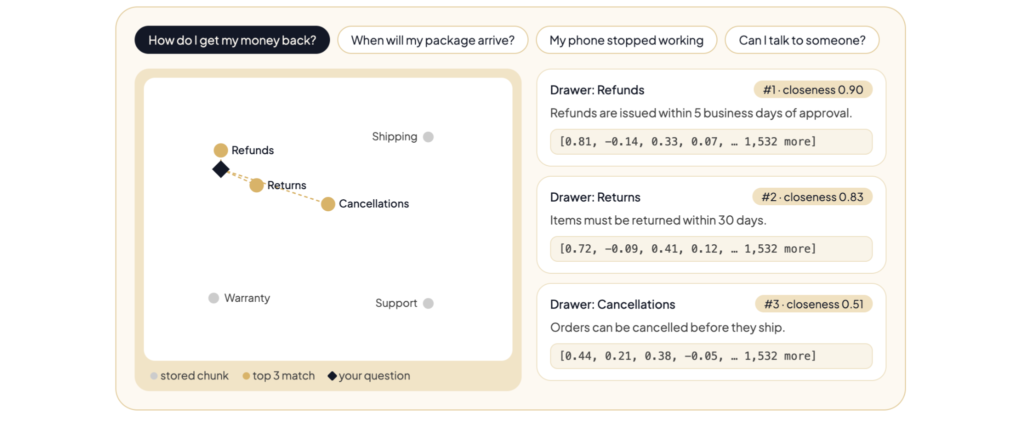
In Part 1, we said a vector is a list of numbers, a “fingerprint” of what a piece of text means. A vector database is a filing cabinet for those fingerprints. Each drawer holds two things: the original text and the numbers that represent its meaning.
We use one for the search. A normal database finds a row by matching words exactly; a vector database finds one by meaning. Hand it a question, and it returns the entries whose fingerprints are closest to the question’s. That is its entire job.
We use Qdrant, an open-source vector database. Its local mode runs on your machine with no signup, and a managed cloud option is available later. The code is identical either way.
What We Are Actually Doing (Architecture Overview)
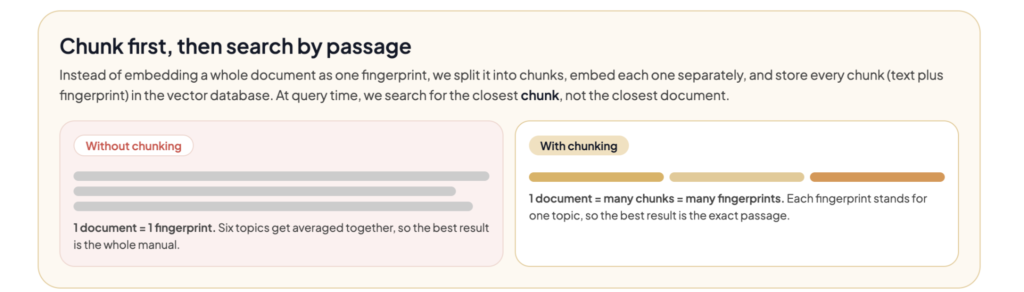
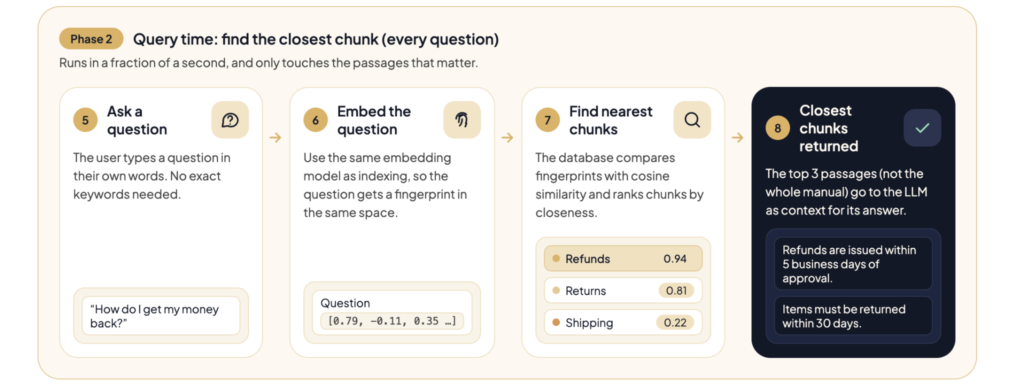
Instead of embedding a whole document as one fingerprint, we will split it into chunks, embed each separately, and store every chunk (text plus fingerprint) in the vector database. At the time of query, it will search for the closest chunk, not the closest document.
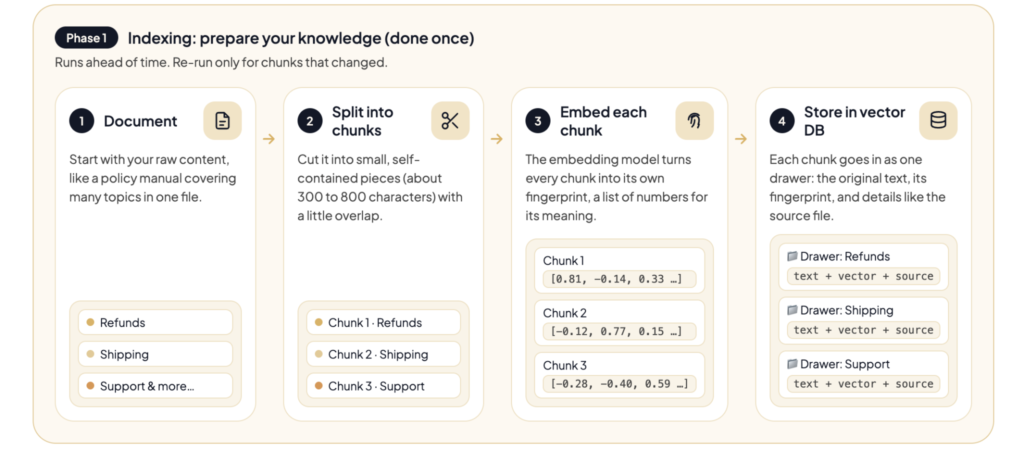
Chunking fixes both problems: each chunk fits the reading limit and carries one idea instead of six, so its fingerprint is not diluted. After the vector DB is ready. Every time someone asks a question, Phase 2 runs.
Prerequisites Before You Start
- A working pipeline from Part 1 (or at least the embed function)
- A document to chunk (we use a sample policy manual)
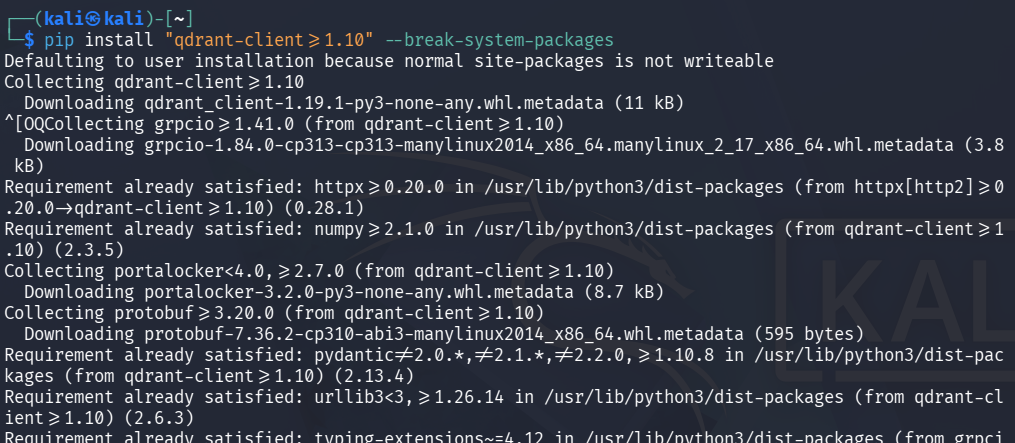
- Install the Qdrant Python client:
pip install "qdrant-client>=1.10"
How the code is organized: This article builds on Part 1’s rag.py. Keep Part 1’s client and embed; replace the in-memory storage and retrieval with the versions below. Steps 1 through 5 build them one piece at a time, and “The Complete Script” assembles them into one file. We store chunks in Qdrant, which exposes the two operations we need: upsert (store a chunk) and query_points (search by meaning). It runs locally or in the cloud with no code changes.
The Sample Document
We use a small policy manual saved as policy_manual.txt. Create the file and paste in the text below. It is only about 1,500 characters, but it has the same six-section, multi-topic structure as a real manual, so the mechanics are identical. It also contains facts the Part 1 bot never knew: warranty, returns, and cancellations.
ELITE CLOUD CUSTOMER POLICY MANUAL

1. Refunds

Refunds are available within 30 days of purchase with a valid receipt. For

electronics such as laptops, monitors, and tablets, the item must be returned

unopened to qualify for a full refund. Opened electronics are eligible for a

partial refund only, minus a 15% restocking fee.

2. Shipping

Standard shipping takes 3 to 5 business days within the United States. Express

shipping takes 1 to 2 business days and costs a flat fee of $15. International

orders ship in 7 to 14 business days, depending on the destination country.

3. Support

Premium support is available 24/7 for enterprise customers. Standard support is

available Monday through Friday, from 9am to 6pm local time. All support tickets

receive a first response within one business day.

4. Warranty

Laptops carry a 2-year manufacturer warranty that covers hardware defects.

Monitors and accessories carry a 1-year warranty. The warranty does not cover

accidental damage, liquid spills, or normal wear and tear.

5. Returns and Exchanges

Returns are free when an item arrives damaged or defective. For all other

returns, the customer is responsible for return shipping costs. Exchanges are

processed within 5 business days of the warehouse receiving the returned item.

6. Order Cancellations

Orders can be cancelled at no charge before they have shipped. Once an order has

shipped, it can no longer be cancelled; it must be received and returned

following the standard return policy above.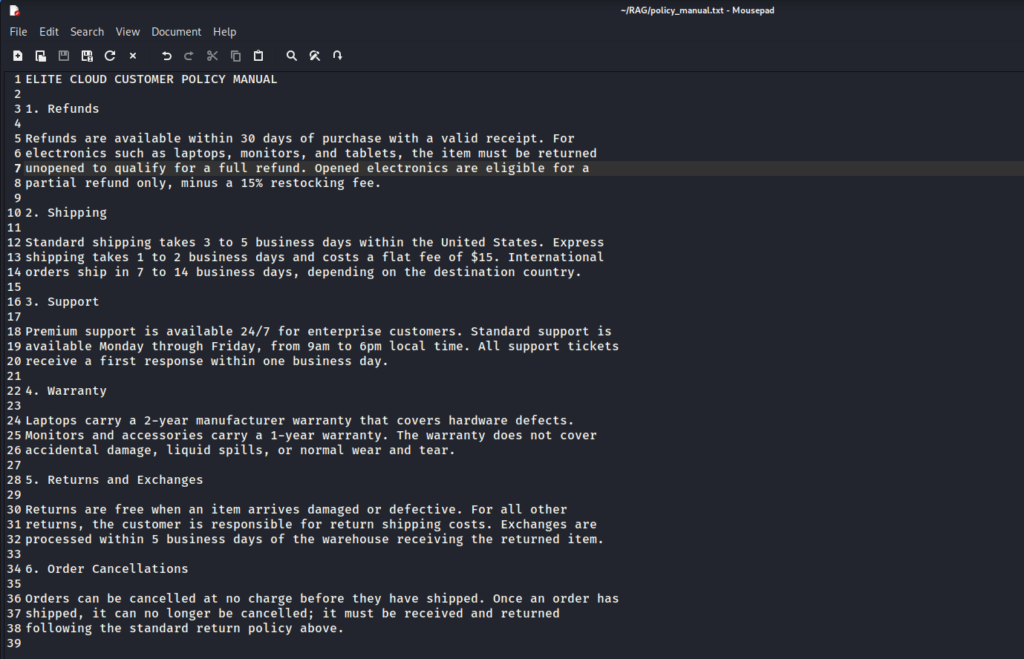
Step 1: Choose a Chunking Strategy
There are three common ways to split a document:
1. Fixed-size: cut the text once it reaches a certain number of characters, no matter where the sentence ends.
2. Sentence-based: cut at sentence boundaries.
3. Semantic: cut where the meaning shifts (most precise, most complex).
A word on “characters”: a character is one letter, digit, space, or punctuation mark, so every keystroke counts. When a guide says “cut every 500 characters”, it means “once a chunk reaches about 500 letters and spaces, start a new one.”
Fixed-size is simplest but can slice a sentence in half. Sentence-based is a good default. Semantic is ideal when you have the tooling.
Important: Start with sentence-based chunks. It is simple and avoids the most common failure: a rule cut in half.
Step 2: Set the Chunk Size and Overlap
The chunk size is how much text goes in one chunk, in characters. The overlap is how much text repeats between neighboring chunks.
CHUNK_SIZE = 500 # characters per chunk (about a short paragraph)`
CHUNK_OVERLAP = 100 # target characters carried into the next chunk
Five hundred characters is roughly a short paragraph: enough for one complete idea, but small enough that the idea is not lost among unrelated text.
Why overlap matters: sentence boundaries do not always line up with ideas. Suppose a refund rule reads “…within 30 days” at the end of one chunk and “of purchase with a receipt” at the start of the next. Without overlap, the halves never appear together and retrieval misses the rule. Overlap repeats the end of one chunk at the start of the next, so a boundary idea survives somewhere.
Pro tip: Start with a chunk size of a few hundred characters and an overlap of 10 to 20 percent of it. We carry overlap as whole sentences, so the repeated text can be a little longer than the target.
Step 3: Split the Document
Here is a sentence-based splitter. It splits on sentence boundaries (across line breaks), keeps a rule from being cut in half, and carries the last sentence or two into the next chunk as overlap.
import re

def chunk_text(text, chunk_size=CHUNK_SIZE, overlap=CHUNK_OVERLAP):

    text = re.sub(r"\s+", " ", text).strip()

    sentences = [s.strip() for s in re.split(r"(?<=[.!?])\s+", text) if s.strip()]

    # keep short headings (like "1." in "1. Refunds") attached to the next sentence

    merged = []

    for s in sentences:

        if merged and len(merged[-1]) < 15:

            merged[-1] = merged[-1] + " " + s

        else:

            merged.append(s)

    chunks, current, size = [], [], 0

    for sentence in merged:

        if current and size + len(sentence) > chunk_size:

            chunks.append(" ".join(current))

            carried, carried_size = [], 0

            for s in reversed(current):

                if carried and carried_size + len(s) >= overlap:

                    break

                carried.insert(0, s)

                carried_size += len(s) + 1

            current, size = carried, carried_size

        current.append(sentence)

        size += len(sentence) + 1

    if current:

        chunks.append(" ".join(current))

    return chunks
It is intentionally simple. Production libraries handle more cases, but the idea is the same: focused pieces that keep enough context to stand on their own.
Step 4: Create the Collection and Store the Chunks
Now we create the Qdrant collection and store each chunk. Qdrant exposes the two operations we need: upsert to store a chunk and query_points to search by meaning.
First, connect. The same client works in three modes, and the rest of the code does not care which:
from qdrant_client import QdrantClient

from qdrant_client.models import Distance, PointStruct, VectorParams

store = QdrantClient(":memory:")                 # local, in memory (this demo)

# store = QdrantClient(path="./qdrant_data")     # local, saved to disk

# store = QdrantClient(url="...", api_key="...") # Qdrant Cloud (managed)
Chunks live in a collection, like one table in a database. Creating it tells Qdrant two things: how many numbers each embedding has, and how to measure similarity. We use cosine similarity, the same score as Part 1.
store.create_collection(

    collection_name="policy",

    vectors_config=VectorParams(

        size=1536,                 # numbers per embedding

        distance=Distance.COSINE,  # how similarity is measured

    ),

)
Then we load the document, split it, embed the chunks in one batch, and store them with upsert. We also attach the source file as metadata, which the next article will use:
with open("policy_manual.txt") as f:

    policy_manual = f.read()

chunks = chunk_text(policy_manual)

vectors = embed(chunks)                 # one request for all chunks

store.upsert(

    collection_name="policy",

    points=[

        PointStruct(

            id=i,

            vector=vector,

            payload={"text": chunk, "source": "policy_manual.txt"},

        )

        for i, (chunk, vector) in enumerate(zip(chunks, vectors))

    ],

)
Note: size must match your embedding model. text-embedding-3-small returns 1536 numbers per chunk; Ollama’s nomic-embed-text returns 768. A mismatch makes Qdrant reject the chunk, so change the size and the model together. The payload holds the original text and any labels next to the fingerprint. Running Ollama locally? Change the model in Step 1 and set size to 768; nothing else changes.
Tip: We embed all chunks in one embed(chunks) call instead of one per chunk. embed already accepts a list, and batching keeps a large manual from becoming hundreds of round trips.
Step 5: Query the Database
Querying is unchanged in shape: embed the question, find the closest chunks, and hand them to the model. We wrap it in a retrieve function so the rest of the code has one entry point.
def retrieve(query, top_k=3):

    hits = store.query_points(

        collection_name="policy",

        query=embed([query])[0],

        limit=top_k,

    ).points

    return [hit.payload["text"] for hit in hits]

question = "What is the refund window for electronics?"

print(generate(question, retrieve(question)))
The difference from Part 1: we now retrieve focused chunks, so the model gets the paragraph it needs instead of the whole manual. From here on, retrieve is the only function the rest of the script calls to find chunks.
The Complete Script
Here is the full rag.py: everything from Part 1 plus the chunking and Qdrant changes. Save it and run python rag.py after setting MIXROUTE_API_KEY, exactly as in Part 1.
import os

import re

from openai import OpenAI

from qdrant_client import QdrantClient

from qdrant_client.models import Distance, PointStruct, VectorParams

client = OpenAI(

    api_key=os.environ["MIXROUTE_API_KEY"],

    base_url="https://api.mixroute.ai/v1",

)

EMBED_MODEL = "text-embedding-3-small"

CHAT_MODEL  = "gpt-4o-mini"

CHUNK_SIZE = 500

CHUNK_OVERLAP = 100

def embed(texts):

    resp = client.embeddings.create(model=EMBED_MODEL, input=texts)

    return [item.embedding for item in resp.data]

def chunk_text(text, chunk_size=CHUNK_SIZE, overlap=CHUNK_OVERLAP):

    text = re.sub(r"\s+", " ", text).strip()

    sentences = [s.strip() for s in re.split(r"(?<=[.!?])\s+", text) if s.strip()]

    merged = []

    for s in sentences:

        if merged and len(merged[-1]) < 15:

            merged[-1] = merged[-1] + " " + s

        else:

            merged.append(s)

    chunks, current, size = [], [], 0

    for sentence in merged:

        if current and size + len(sentence) > chunk_size:

            chunks.append(" ".join(current))

            carried, carried_size = [], 0

            for s in reversed(current):

                if carried and carried_size + len(s) >= overlap:

                    break

                carried.insert(0, s)

                carried_size += len(s) + 1

            current, size = carried, carried_size

        current.append(sentence)

        size += len(sentence) + 1

    if current:

        chunks.append(" ".join(current))

    return chunks

def generate(query, context_chunks):

    context = "\n\n".join(context_chunks)

    resp = client.chat.completions.create(

        model=CHAT_MODEL,

        messages=[

            {

                "role": "system",

                "content": "Answer using only the context provided. "

                           "If the context does not contain the answer, say so.",

            },

            {"role": "user", "content": f"Context:\n{context}\n\nQuestion: {query}"},

        ],

    )

    return resp.choices[0].message.content

store = QdrantClient(":memory:")

store.create_collection(

    collection_name="policy",

    vectors_config=VectorParams(size=1536, distance=Distance.COSINE),

)

def retrieve(query, top_k=3):

    hits = store.query_points(

        collection_name="policy",

        query=embed([query])[0],

        limit=top_k,

    ).points

    return [hit.payload["text"] for hit in hits]

with open("policy_manual.txt") as f:

    policy_manual = f.read()

chunks = chunk_text(policy_manual)

vectors = embed(chunks)

store.upsert(

    collection_name="policy",

    points=[

        PointStruct(

            id=i,

            vector=vector,

            payload={"text": chunk, "source": "policy_manual.txt"},

        )

        for i, (chunk, vector) in enumerate(zip(chunks, vectors))

    ],

)

question = "What is the refund window for electronics?"

print(generate(question, retrieve(question)))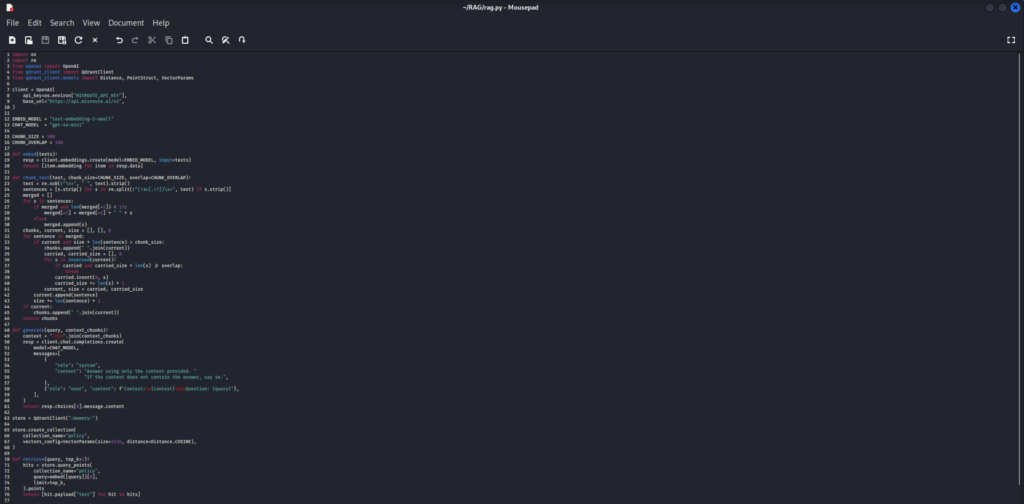
Now, after importing your API key, run the code with the command below:
python3 rag.py

Wiring It Into the Telegram Bot
In Part 1, we replaced the three demo lines (query, answer, print) with a Telegram bot. That bot still works unchanged, because it only calls retrieve and generate, which keep the same names and signatures. Adding the bot now? Replace the final question and print lines above with this:
from telegram.ext import Application, MessageHandler, filters

TOKEN = os.environ["TELEGRAM_BOT_TOKEN"]

async def answer(update, context):

    question = update.message.text

    reply = generate(question, retrieve(question))

    await update.message.reply_text(reply)

app = Application.builder().token(TOKEN).build()

app.add_handler(MessageHandler(filters.TEXT & ~filters.COMMAND, answer))

app.run_polling()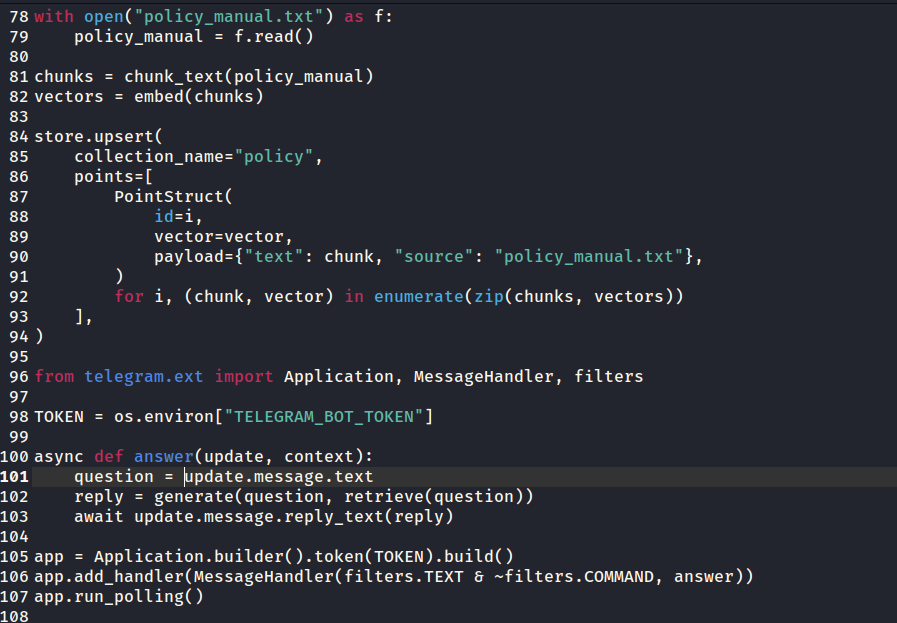
Now run the same file with both keys set:
export MIXROUTE_API_KEY="your-key"

export TELEGRAM_BOT_TOKEN="your-bot-token"

python rag.py
Get your MixRoute API key from here.

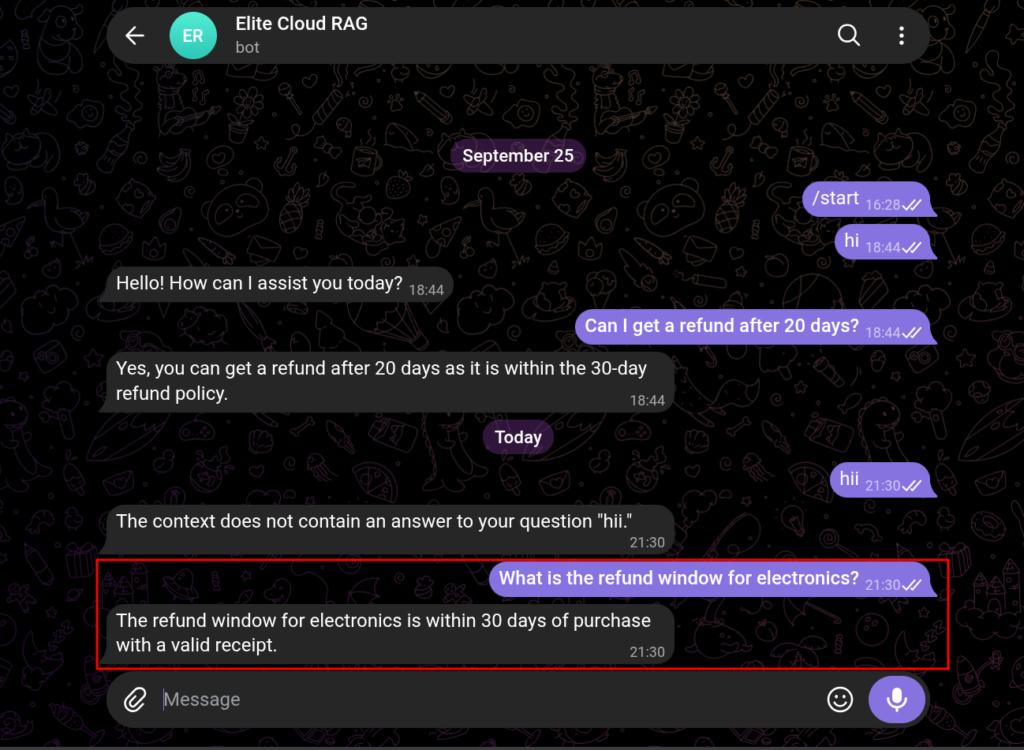
Now the bot answers “What is the refund window for electronics?” using the focused paragraph, not the whole document.
Cost Considerations
- Embeddings: you pay per token for each chunk you embed, plus each query you embed.
- Vector database: Qdrant Cloud charges for storage and queries; the local mode costs only your own hardware.
Chunking itself costs nothing; the cost is storing and embedding more, smaller records.
Common Mistakes We See
1. Skipping chunking entirely: embedding a whole document as one blob dilutes the meaning.
2. Cutting sentences in half: a rule split across two chunks is never found. Use sentence boundaries and carry short headings with their section.
3. Setting overlap to zero: a boundary idea loses its lead-in. Carry at least one sentence of overlap.
4. Using a different embedding model for queries: always embed documents and queries with the same model.
Reader Checklist
Before you move on, check your own setup:
- Are my chunks self-contained, or do they cut sentences in half?
- Is my overlap set so boundary ideas are not lost?
- Am I using the same embedding model for documents and queries?
- Does the collection’s size match that embedding model?
- Did I attach metadata (source, section, date) to each chunk so I can filter later?
Final Thoughts
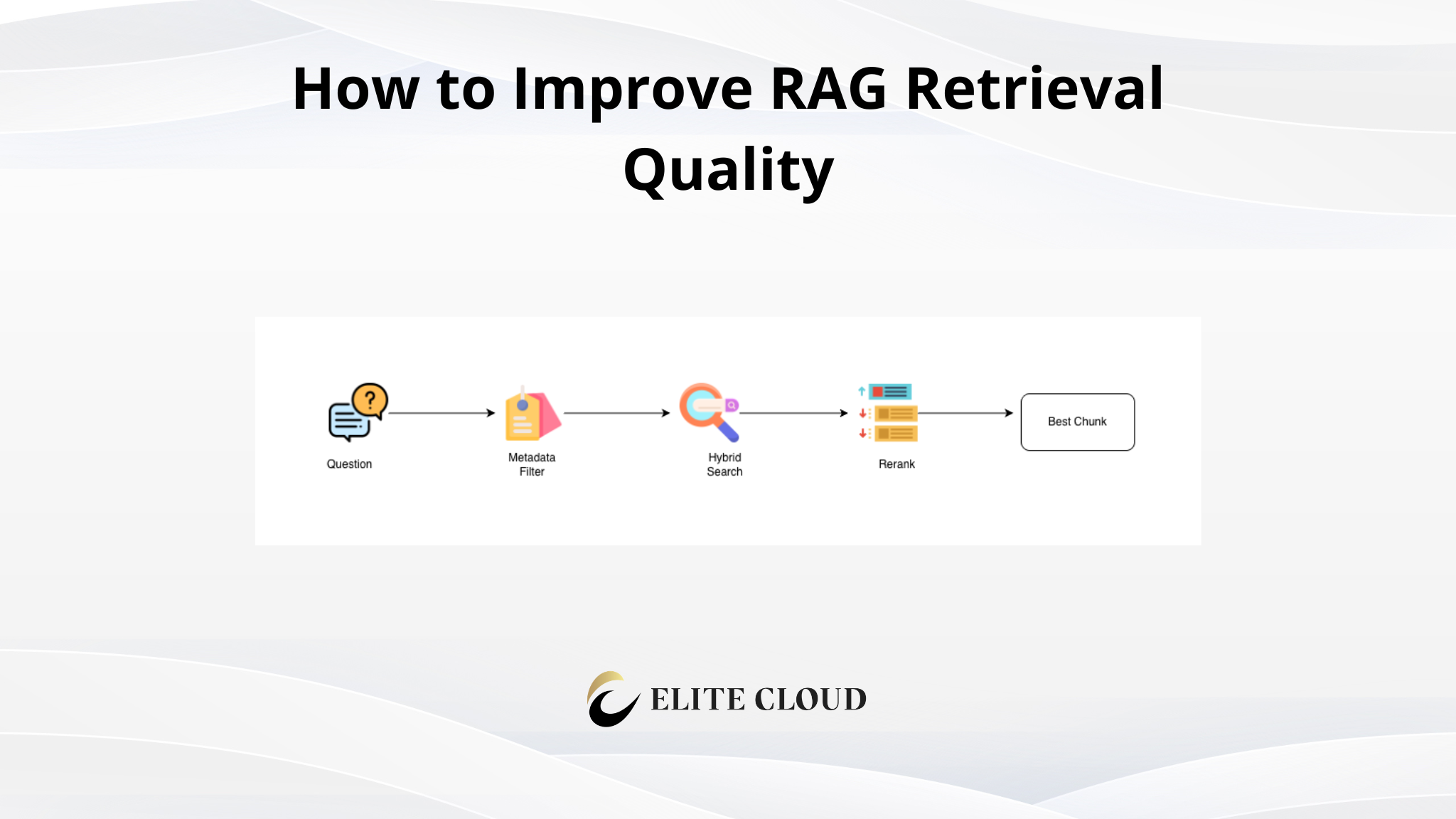
Good chunking puts the right paragraphs into the database. But it does not guarantee the search finds the best one. That is the subject of the next article: hybrid search, reranking, and metadata filtering.