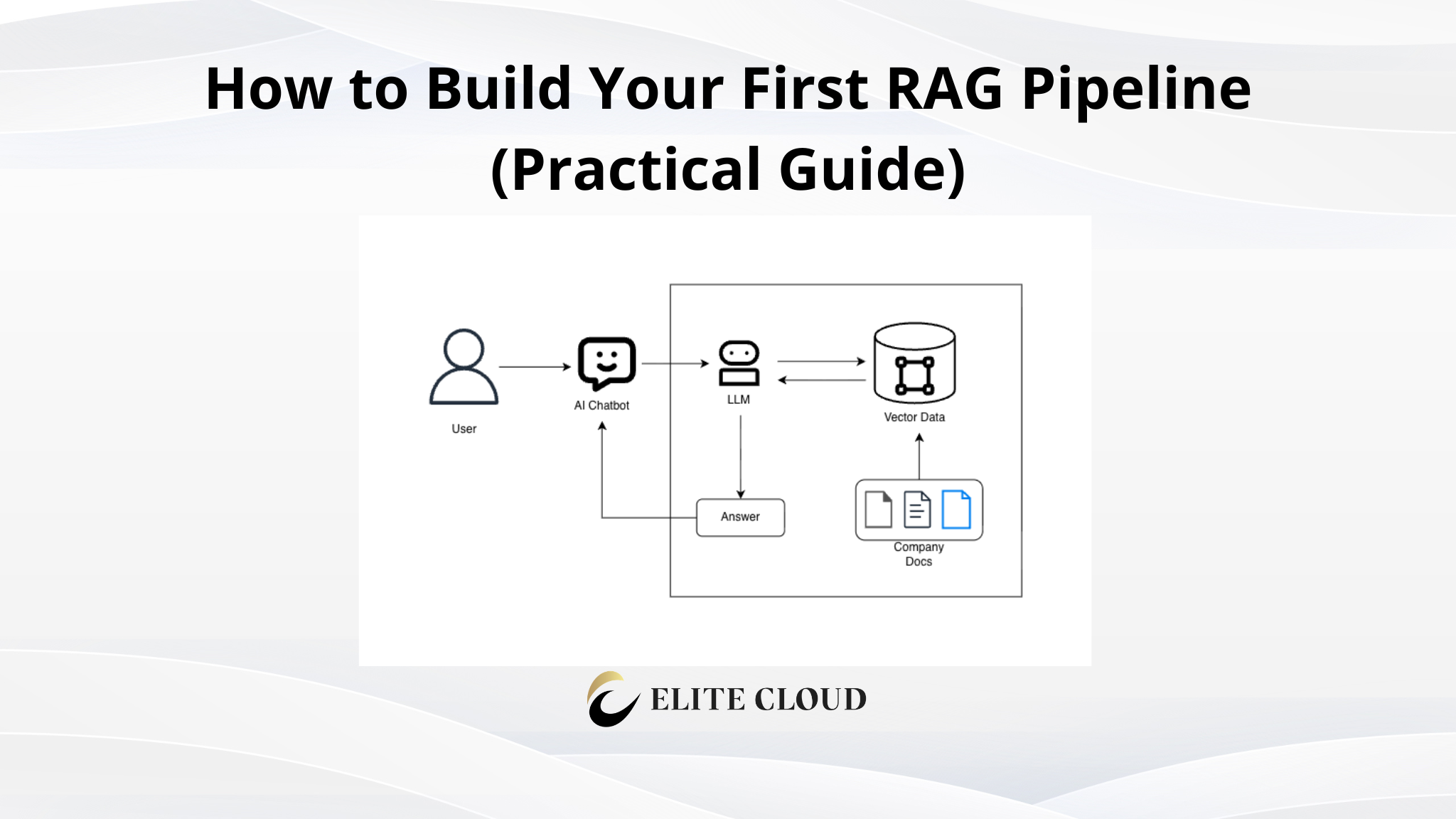
Build a retrieval-augmented generation (RAG) pipeline from scratch using the Custom AI API: embed your documents, retrieve the relevant ones, and generate grounded answers in about 40 lines of Python.
By default, an LLM chatbot is trained on a large set of public data. When we ask a question about our own business, the AI chatbot mostly hallucinates and provides wrong info. To solve this problem, RAG is used. Here, we provide the LLM model with company documentation, policies, FAQs, and other information. This way, when someone asks a question to the chatbot, it first checks it in the RAG, then provides the right answer that is company-specific. For example, product descriptions, refund policies, internal procedures, and more.
What We Are Actually Doing (Architecture Overview)
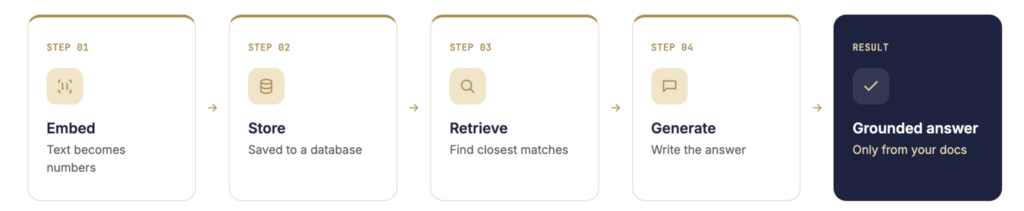
Every RAG system performs the same four operations:
1. Embed: turn text into numbers. A computer does not understand sentences directly, so an embedding model converts each piece of text into a list of numbers called an embedding. Text with similar meaning produces similar numbers, so an embedding works like a “fingerprint” of meaning.
2. Store: save those numbers next to the original text. Each fingerprint is kept alongside the text it came from, inside a vector database (a “vector” is simply a list of numbers). It works like a filing cabinet where every page carries its own meaning-fingerprint.
3. Retrieve: find the numbers closest to the question. When a question arrives, we convert it into a fingerprint using the same embedding model, then search the database for the closest matches. This returns the pages most likely to contain the answer.
4. Generate: write the answer from the retrieved text. The question and the matched pages are handed to a chat model with one instruction: answer only from this context. The model reads your actual documents and writes a grounded answer.
When a question arrives, we embed it the same way, search for the closest documents, and hand the question plus those documents to a chat model with one instruction: answer only from this context.

Prerequisites Before You Start
Before we touch the code, make sure:
- Python 3 is installed
- You have an LLM API key (or an Ollama installation for local use)
We use two different ML models, and it is worth knowing the difference before we start:
- An embedding model turns text into numbers, a fingerprint of meaning. We use it to find which documents are similar to a question.
- A chat model writes text back. We use it to generate the final answer from those documents.
These are two separate models doing two separate jobs, and we will use one of each.
Install the two dependencies:
pip install openai numpy
Note: If you want to run everything locally (no API key, no data leaving your machine), skip to the Ollama section. The code is identical; only the base URL and model names change.
How the code is organized: Steps 1 through 6 are a single script, not six separate files. Save each code block into one file called rag.py in the order shown. By the end of Step 6, you will have one complete program.
Step 1: Set Up the Client and Select the Models
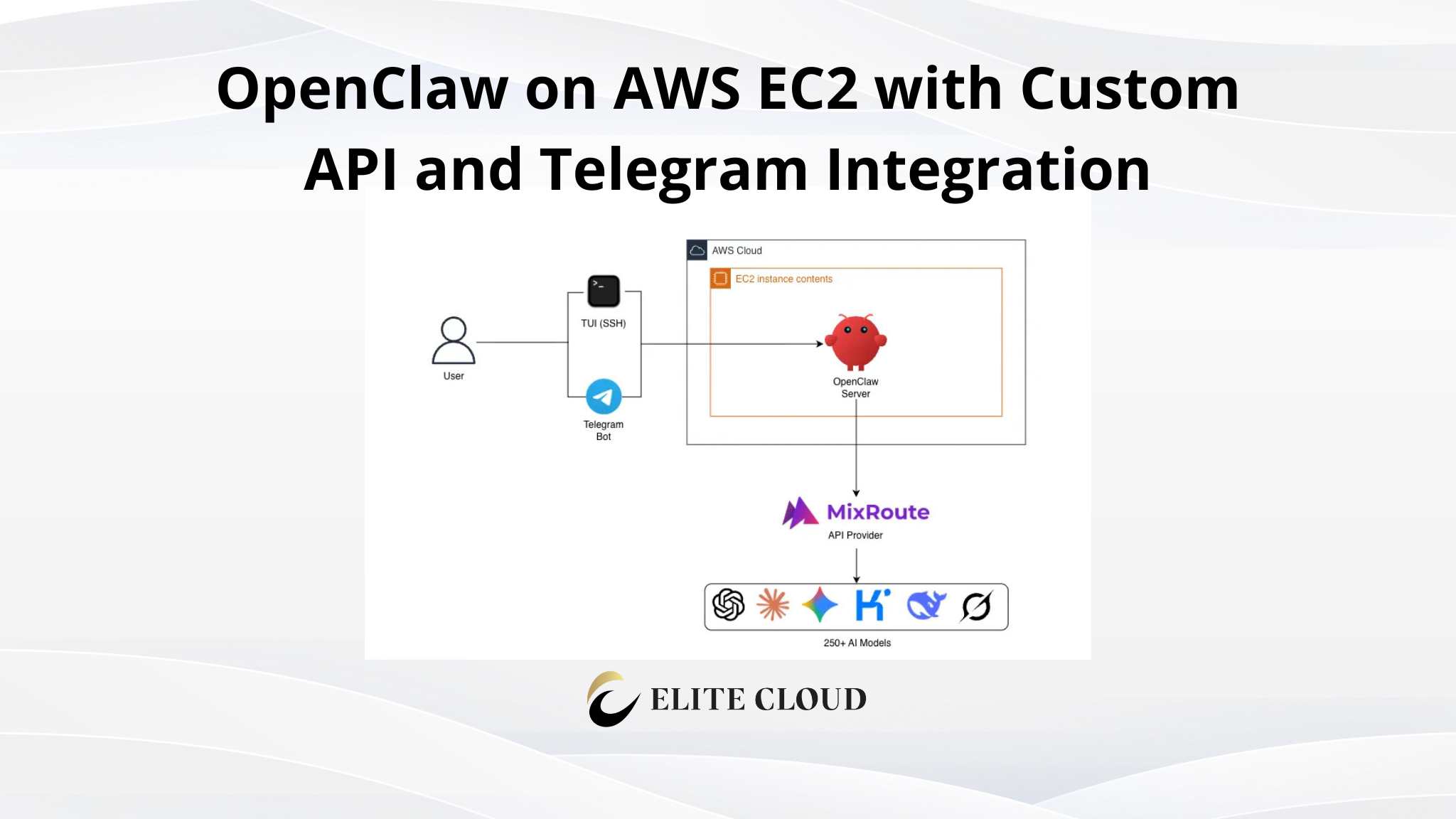
We will use MixRoute, a managed API that exposes both embedding and chat models through a single OpenAI-compatible interface. This keeps the pipeline short: two models, one connection. It also allows us to use more than 250+ LLM API, similar to OpenRouter but without any extra cost.
import os

from openai import OpenAI

client = OpenAI(

    api_key=os.environ[“MIXROUTE_API_KEY”],   # keep the key out of the source

    base_url=”https://api.mixroute.ai/v1″,

)

EMBED_MODEL = “text-embedding-3-small”   # converts text to numbers

CHAT_MODEL  = “gpt-4o-mini”              # writes answers from context
Get your MixRoute API key:
1. Sign in to the MixRoute console at console.mixroute.ai.
2. Open the API Keys page and create a new key. Make sure the set the values such as model restriction, usage, and expiry date as per your needs.
3. Copy the key value.
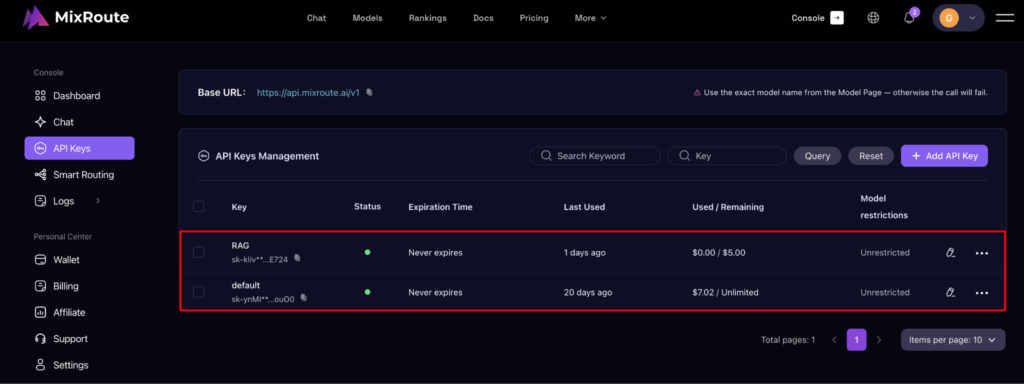
Important: Keep the API key in an environment variable, never in the source. The MIXROUTE_API_KEY value is the key you just copied.
Step 2: Prepare Your Documents
Define a small document set. The three strings below stand in for your real documents: one about refunds, one about shipping, and one about support.
documents = [

    “Refunds are available within 30 days of purchase with a valid receipt.”,

    “Standard shipping takes 3 to 5 business days within the United States.”,

    “Premium support is available 24/7 for enterprise customers.”,

]
Note: This is sample data for demonstration. In a production system, documents is read from your files or database, not typed by hand. We keep each to one line so the retrieval results are easy to read.
Step 3: Embed and Store the Documents
The embed function turns each document into a fingerprint: a list of numbers. doc_vectors keeps those fingerprints next to the original text.
def embed(texts):

    “””Convert a list of texts into a list of embeddings.”””

    resp = client.embeddings.create(model=EMBED_MODEL, input=texts)

    return [item.embedding for item in resp.data]

doc_vectors = embed(documents)   # one embedding per document
Note: For this example we hold everything in memory. A production system saves the fingerprints in a vector database.
Step 4: Retrieve the Closest Matches
We measure similarity with cosine similarity, a score from 0 to 1 where 1 means “effectively the same meaning”.
def cosine(a, b):

    “””Similarity between two embeddings: 1 = close, 0 = distant.”””

    import numpy as np

    a, b = np.array(a), np.array(b)

    return float(a @ b / (np.linalg.norm(a) * np.linalg.norm(b)))

def retrieve(query, top_k=2):

    “””Return the documents most similar to the query.”””

    q = embed([query])[0]

    scored = sorted(

        enumerate(doc_vectors),

        key=lambda pair: cosine(pair[1], q),

        reverse=True,

    )

    return [documents[i] for i, _ in scored[:top_k]]
Pro tip: Always embed the query with the same model you used for the documents. Mixing two models produces numbers that are not comparable.
Step 5: Generate the Answer
The retrieved documents and the question are handed to the chat model, with an instruction to answer only from that context.
def generate(query, context_chunks):

    “””Write an answer using only the retrieved pages.”””

    context = “\n\n”.join(context_chunks)

    resp = client.chat.completions.create(

        model=CHAT_MODEL,

        messages=[

            {

                “role”: “system”,

                “content”: “Answer using only the context provided. “

                           “If the context does not contain the answer, say so.”,

            },

            {“role”: “user”, “content”: f”Context:\n{context}\n\nQuestion: {query}”},

        ],

    )

    return resp.choices[0].message.content
The system prompt is what makes the difference: it forces the model to answer from your documents instead of from memory.
Step 6: Run the Pipeline
Two lines are enough: retrieve, then generate.
query = “Can I get a refund after 20 days?”

answer = generate(query, retrieve(query))

print(answer)
That is a complete RAG system in roughly 40 lines of code.
The Complete Script
Here are Steps 1 through 6 assembled into one file. Save it as rag.py:
import os

import numpy as np

from openai import OpenAI

client = OpenAI(

    api_key=os.environ[“MIXROUTE_API_KEY”],

    base_url=”https://api.mixroute.ai/v1″,

)

EMBED_MODEL = “text-embedding-3-small”

CHAT_MODEL  = “gpt-4o-mini”

documents = [

    “Refunds are available within 30 days of purchase with a valid receipt.”,

    “Standard shipping takes 3 to 5 business days within the United States.”,

    “Premium support is available 24/7 for enterprise customers.”,

]

def embed(texts):

    resp = client.embeddings.create(model=EMBED_MODEL, input=texts)

    return [item.embedding for item in resp.data]

doc_vectors = embed(documents)

def cosine(a, b):

    a, b = np.array(a), np.array(b)

    return float(a @ b / (np.linalg.norm(a) * np.linalg.norm(b)))

def retrieve(query, top_k=2):

    q = embed([query])[0]

    scored = sorted(

        enumerate(doc_vectors),

        key=lambda pair: cosine(pair[1], q),

        reverse=True,

    )

    return [documents[i] for i, _ in scored[:top_k]]

def generate(query, context_chunks):

    context = “\n\n”.join(context_chunks)

    resp = client.chat.completions.create(

        model=CHAT_MODEL,

        messages=[

            {

                “role”: “system”,

                “content”: “Answer using only the context provided. “

                           “If the context does not contain the answer, say so.”,

            },

            {“role”: “user”, “content”: f”Context:\n{context}\n\nQuestion: {query}”},

        ],

    )

    return resp.choices[0].message.content

query = “Can I get a refund after 20 days?”

answer = generate(query, retrieve(query))

print(answer)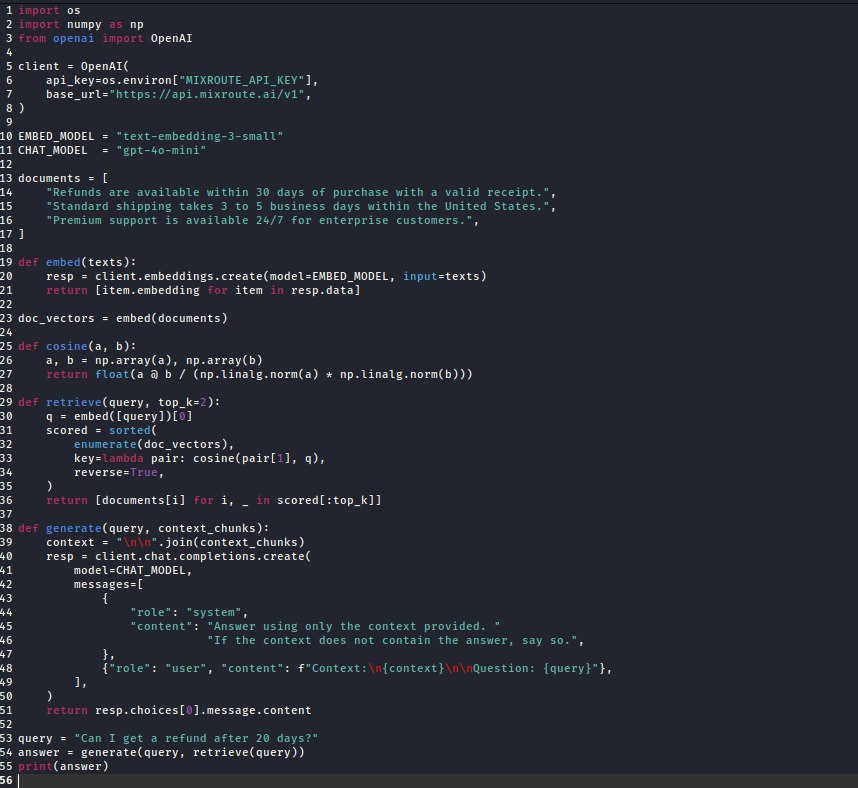
To run it, set your API key once in the terminal, then execute the file:
export MIXROUTE_API_KEY=”your-key”

Then run the code with the command below:
python rag.py

Note: On Windows, use set MIXROUTE_API_KEY=your-key instead of export. The print at the bottom is what actually runs; everything above it just defines functions and variables.
Running It Locally with Ollama
The pipeline is not tied to a cloud provider. Ollama runs open-weight models locally (no API key, no data leaving your machine). Only the base URL and model names change:
client = OpenAI(

    base_url=”http://localhost:11434/v1″,

    api_key=”ollama”,                 # Ollama ignores this value

)

EMBED_MODEL = “nomic-embed-text”      # a local embedding model

CHAT_MODEL  = “llama3.2”              # a local chat model
Pull the models once, and the same embed, retrieve, and generate functions work unchanged:
ollama pull nomic-embed-text
ollama pull llama3.2
Connecting It to a Telegram Bot
A command-line script is fine for testing, but a real assistant needs an interface people can actually use. We wire the pipeline to a Telegram bot, so a user can ask a question from their phone and get a grounded answer back. This bot becomes the running example we build on through the rest of the series.
First, create a bot and copy its token:
1. Open Telegram and message @BotFather.
2. Send /newbot and follow the prompts to name your bot.
3. BotFather replies with a token. Copy it.
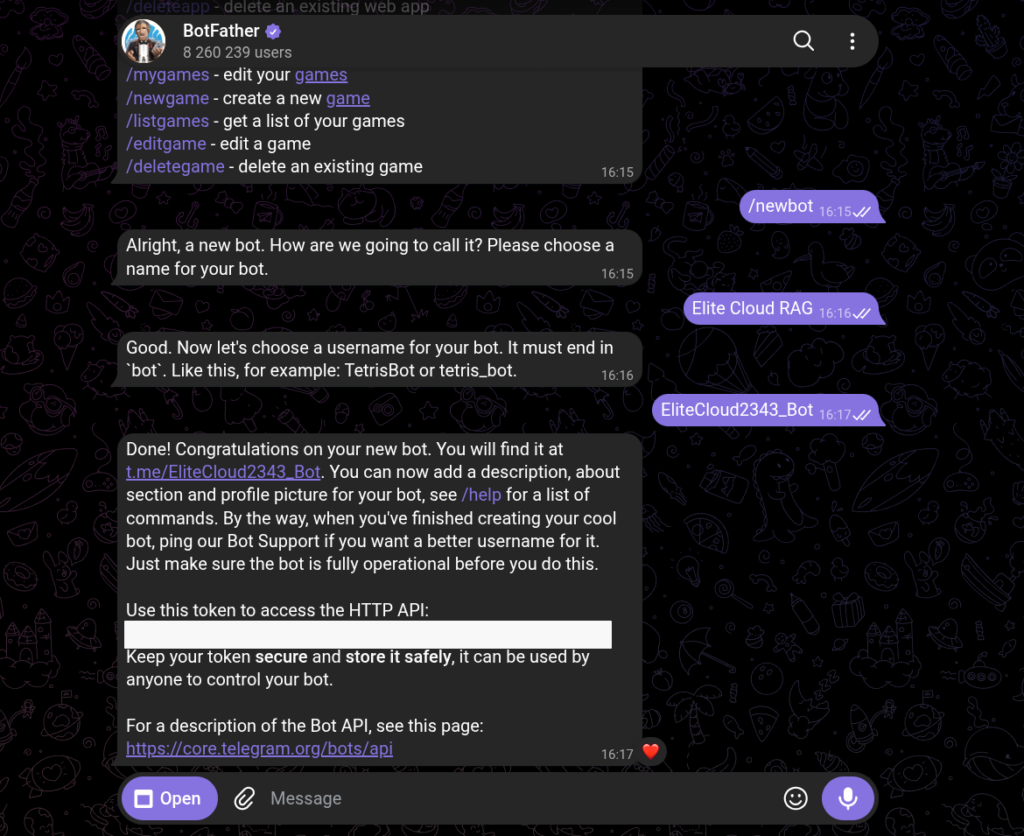
Then install the library:
pip install python-telegram-bot
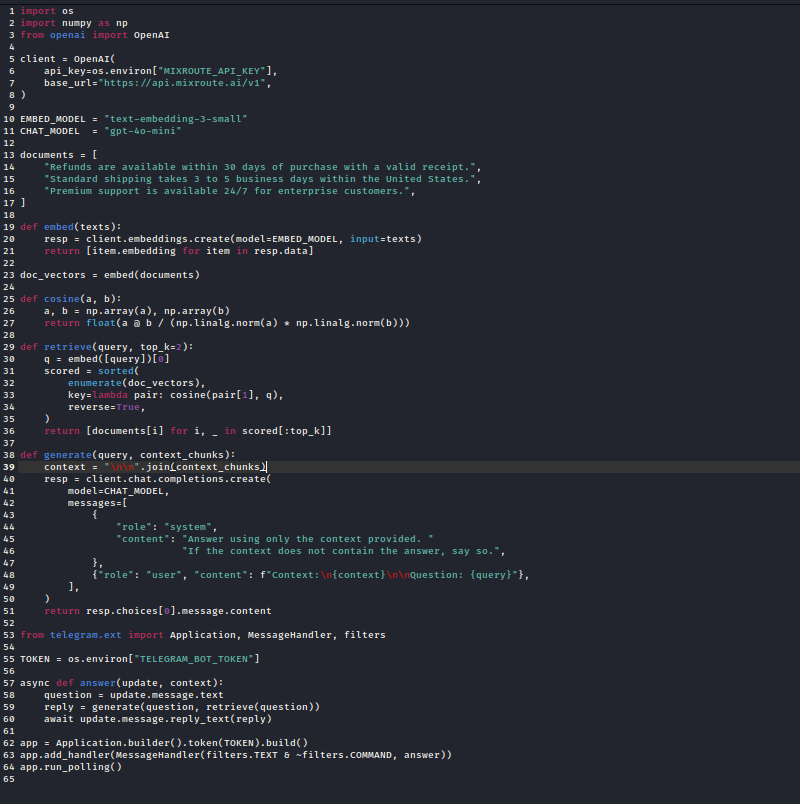
Note: The bot is not a separate file. It reuses the retrieve and generate functions we already wrote. Remove the last three lines of rag.py (the query, answer, and print lines) and replace them with the code below. When a message arrives, we treat it as the query, run the pipeline, and reply:
from telegram.ext import Application, MessageHandler, filters

TOKEN = os.environ[“TELEGRAM_BOT_TOKEN”]

async def answer(update, context):

    question = update.message.text

    reply = generate(question, retrieve(question))

    await update.message.reply_text(reply)

app = Application.builder().token(TOKEN).build()

app.add_handler(MessageHandler(filters.TEXT & ~filters.COMMAND, answer))

app.run_polling()
Important: Keep the bot token in an environment variable, the same way we kept the API key out of the source.
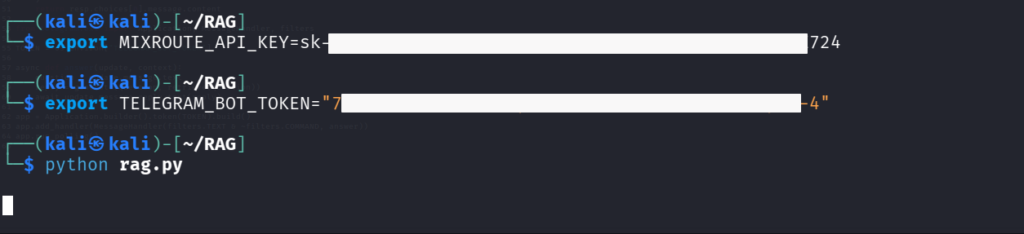
Now run the same file with both keys set:
export MIXROUTE_API_KEY=”your-key”
export TELEGRAM_BOT_TOKEN=”your-bot-token”
python rag.py
Send the bot a message like “Can I get a refund after 20 days?” and it replies with the grounded answer from your documents.
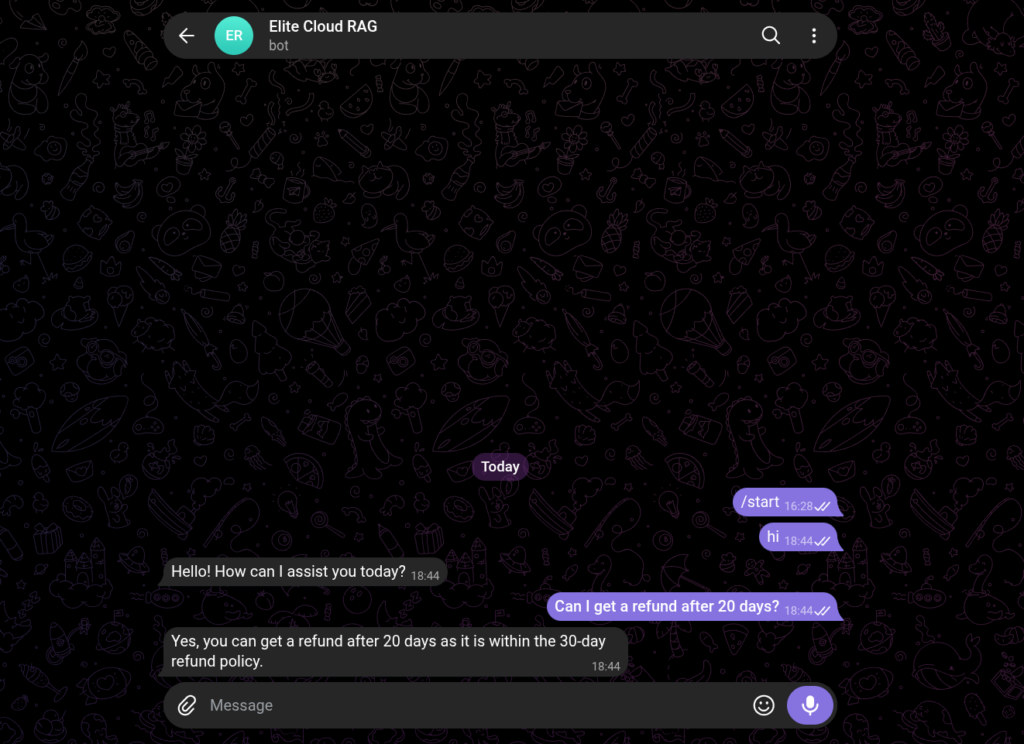
Note: The Telegram bot is only a front end. The retrieve and generate functions are unchanged. In the next article, we replace the three sample documents with a real, chunked document, and the bot stays the same on the outside.
Cost Considerations
What you pay depends on the route you choose:
- MixRoute (managed): You pay per token for embedding and generation. Minimal setup, no infrastructure to maintain. A single gateway that connects you to 250+ LLMs.
- Ollama (local): No per-token cost, but you need a machine powerful enough to run the models.
For a first pipeline, start with the managed API. Move to local only if data control or cost becomes the deciding factor.
Common Mistakes We See
1. Embedding a whole large document as one unit. A 40-page document becomes one averaged fingerprint, and the “refund policy” meaning gets diluted. Split documents into focused chunks before embedding.
2. Using the wrong or mismatched embedding model. Use the same model for both documents and queries. Mixing two models breaks the similarity calculation.
3. Trusting every search result. A vector search always returns something, even when nothing is relevant. Enforce a minimum similarity threshold and instruct the model to say “I don’t know” when nothing clears it.
Final Thoughts
A RAG pipeline that runs is not the same as one that retrieves well. The most consequential decision (how you split documents before embedding) is the topic of the next article. But this 40-line pipeline is the foundation everything else builds on.